The GPU Idle Problem
There is a persistent misconception in AI infrastructure planning: that the GPU is the bottleneck. Procurement teams focus on GPU counts, VRAM specifications, and interconnect bandwidth. These are important, but they are not where most organisations lose performance. The real bottleneck, in the majority of production AI workloads, is storage.
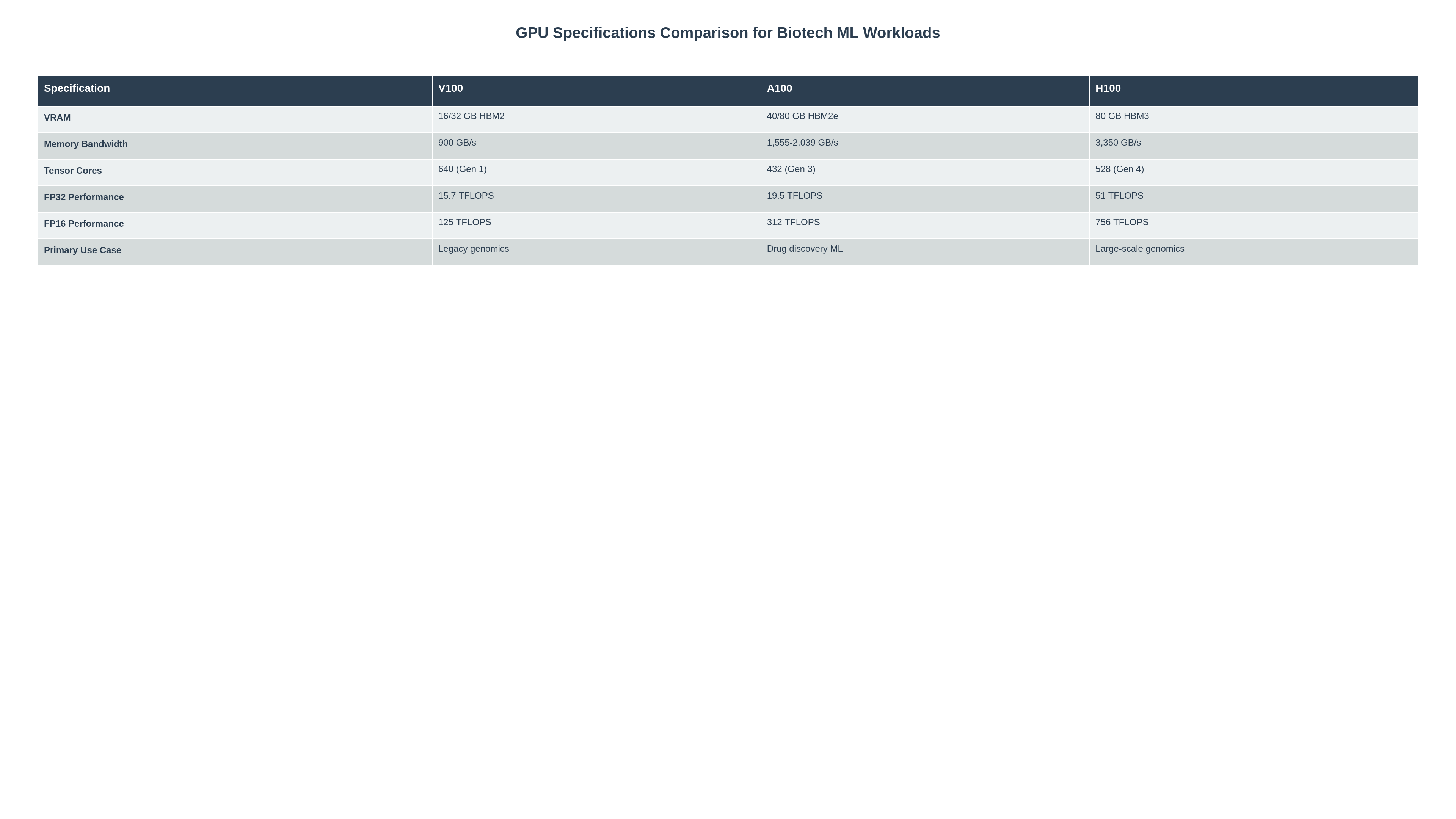
The economics are straightforward. A modern data-centre GPU—whether an NVIDIA A100 or H100—costs thousands of dollars per month to operate. When that GPU sits idle because it is waiting for data to arrive from storage, you are paying for compute that produces nothing. In large-scale training runs, this idle time can account for 20 to 40 percent of total wall-clock time if the storage subsystem is not properly designed. For inference workloads that require loading large models or accessing reference datasets, the penalty can be equally severe.
The root cause is almost always the same: the storage layer was designed for general-purpose workloads, not for the sustained, high-throughput, low-latency access patterns that AI workloads demand. Understanding why this happens—and how to fix it—requires looking at the different storage tiers available and what each is actually designed for.
Local NVMe, Shared NAS, and Archival Storage
Modern infrastructure typically involves three storage tiers, each serving a distinct purpose. Problems arise when organisations try to use one tier for everything, or when they select the wrong tier for their most performance-sensitive workloads.
Local NVMe
NVMe (Non-Volatile Memory Express) was designed specifically for solid-state storage. Unlike older interfaces such as SATA or SAS—which were originally built for spinning disks—NVMe communicates directly over PCIe, the same high-speed bus that connects GPUs to the CPU. This architectural decision gives NVMe several fundamental advantages: lower latency, higher throughput, and the ability to handle many more parallel operations simultaneously.
Where a SATA SSD might deliver sequential read speeds of 500 to 600 MB/s with a single command queue, an NVMe drive can sustain 7,000 MB/s or more with up to 65,535 queues, each holding 65,536 commands. For AI workloads that read training data in large sequential blocks or perform random reads across massive datasets, this parallelism is transformative. The GPU spends less time waiting for data and more time doing useful computation.
Local NVMe is best suited for active working datasets: the training data currently in use, model checkpoints being written during training, and scratch space for intermediate computations. Its limitation is capacity and shareability—it is physically attached to a single server and typically ranges from 1 to 15 TB per drive.
Shared NAS
Network-attached storage provides a shared filesystem accessible by multiple compute nodes over the network. Solutions like NFS, SMB, or parallel filesystems such as Lustre and GPFS serve this role. NAS excels at collaboration: multiple researchers can access the same datasets, and data does not need to be copied to each node before use.
The trade-off is performance variability. NAS throughput depends on network bandwidth, switch capacity, the storage controller's processing power, and how many clients are accessing the system simultaneously. Under contention, latency increases and throughput drops. For workloads that are sensitive to data-loading speed, this variability can introduce unpredictable GPU idle time.
Archival Storage
Archival tiers—object stores, tape libraries, or cold-storage arrays—are designed for data that is accessed infrequently but must be retained. Access latencies range from seconds to minutes. The cost per terabyte is low, but the performance characteristics are entirely unsuitable for active AI workloads.
Comparing Storage Tiers
| Storage Type | Strengths | Trade-Offs | Best Used For |
|---|---|---|---|
| Local NVMe | Lowest latency, highest throughput, massive parallelism via PCIe | Limited capacity, not shared across nodes, data locality management required | Active training data, model checkpoints, scratch space |
| Shared NAS | Multi-node access, collaborative workflows, centralised management | Network-dependent latency, performance degrades under contention | Shared datasets, collaborative analysis, staging area |
| Archival / Object Store | Lowest cost per TB, durable, scalable to petabytes | High access latency (seconds to minutes), not suitable for real-time workloads | Long-term retention, regulatory archives, raw data preservation |
Designing for Predictable Throughput
The goal of storage architecture for AI workloads is not simply maximum speed—it is predictable throughput. A system that delivers 6 GB/s consistently is more valuable than one that peaks at 10 GB/s but drops to 2 GB/s under contention. Predictability allows you to plan training schedules, estimate job completion times, and maintain reproducible performance baselines for validation purposes.
Several design principles support this goal:
- Tiered data staging: Move active datasets from NAS or archival storage onto local NVMe before launching GPU workloads. Treat data staging as an explicit pipeline step, not an afterthought.
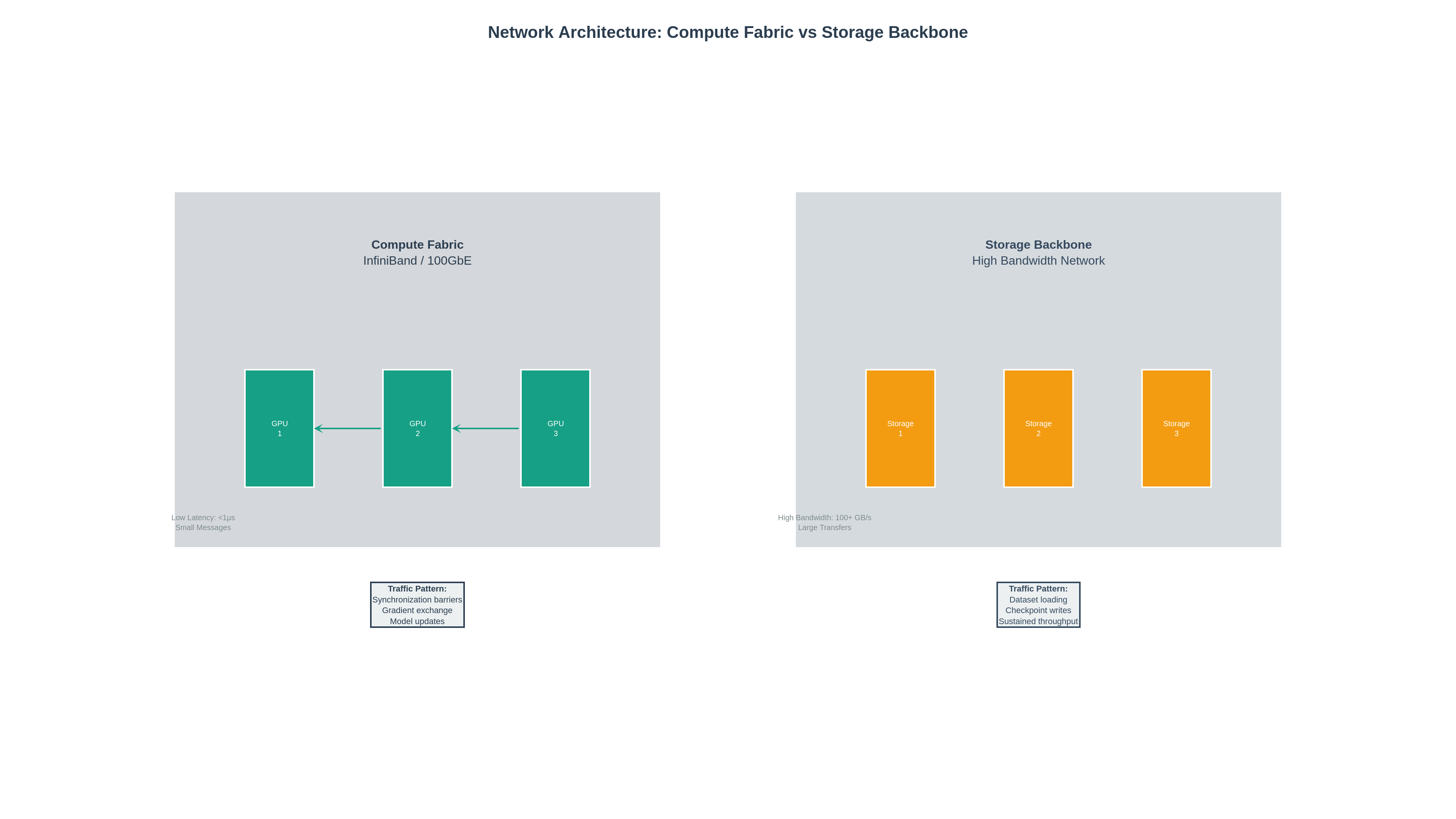
- Dedicated storage networks: Separate storage traffic from compute traffic at the network level. When storage I/O competes with inter-GPU communication on the same network fabric, both suffer.
- Right-size the I/O pipeline: Match the number of data-loading workers, prefetch buffers, and I/O threads to the storage subsystem's capabilities. Too few workers leave bandwidth on the table; too many saturate the storage controller.
- Monitor I/O wait, not just throughput: Aggregate throughput numbers can mask latency problems. Track per-request latency distributions, queue depths, and I/O wait percentages to identify emerging bottlenecks before they affect GPU utilisation.
- Plan for dataset growth: Storage requirements in AI projects grow faster than most teams anticipate. Design capacity with headroom and ensure that scaling storage does not require re-architecting the access layer.
A well-designed storage architecture does not just feed the GPUs faster. It makes performance predictable, budgets forecastable, and validation baselines stable.
What to Ask Vendors About Storage Fabrics
When evaluating infrastructure providers or storage solutions, the following questions will reveal whether a vendor understands the demands of AI workloads or is simply selling general-purpose storage with an AI label attached.
- What is the sustained sequential read throughput per node? Not the peak specification, but the sustained rate under realistic multi-client load. Ask for benchmark results, not data-sheet numbers.
- How is storage traffic isolated from compute traffic? Look for physically separate networks or, at minimum, VLAN segmentation with QoS guarantees. Shared fabrics without isolation are a red flag.
- What is the P99 latency under load? Average latency hides tail-latency spikes that cause GPU stalls. The 99th percentile latency under production-like load is the metric that matters.
- How does the system handle metadata operations at scale? AI training often involves millions of small files. If the metadata server becomes a bottleneck, throughput collapses regardless of raw storage bandwidth.
- What is the failure domain? If a single storage controller fails, how many compute nodes are affected? What is the recovery time? Can the system sustain a component failure without performance degradation?
- Can you demonstrate NVMe-over-Fabrics or equivalent? For environments that need shared access with NVMe-class performance, NVMe-oF provides a path. Ask whether the vendor supports it and what the real-world performance characteristics look like.
Storage Architecture Determines GPU ROI
The most expensive component in an AI infrastructure stack is not the one with the highest price tag—it is the one that prevents everything else from delivering value. When storage cannot keep pace with compute, GPUs idle, training runs take longer, and the cost per experiment increases. Over the lifecycle of a multi-year AI programme, the cumulative impact of poor storage design dwarfs the incremental cost of doing it properly.
Storage architecture determines whether your GPU investment delivers value. A GPU waiting for data is a GPU burning budget. Design your storage tiers deliberately, benchmark under realistic conditions, and treat storage throughput as a first-class infrastructure metric—not an afterthought.
Before your next GPU procurement, ask a simpler question first: can your storage actually feed the GPUs you already have? If the answer is uncertain, that is where your infrastructure investment should begin.
References & Further Reading
- NVIDIA RTX A6000 Datasheet Product specifications including NVLink combined memory context relevant to "96 GB" VRAM messaging.
- NVIDIA A100 Tensor Core GPU Data centre GPU specifications for high-performance AI training and inference workloads.
- NVM Express Base Specification NVMe protocol specification — explains why NVMe delivers lower latency and better scalability for SSD access than legacy interfaces.
- NVMe Overview High-level overview of NVMe design goals including latency reduction, scalability, and bandwidth/IOPS improvements.
- IETF RFC 7530: NFSv4.0 Protocol Canonical NAS protocol standard — useful reference for shared storage architecture discussions.